Know who you're meeting before you join.
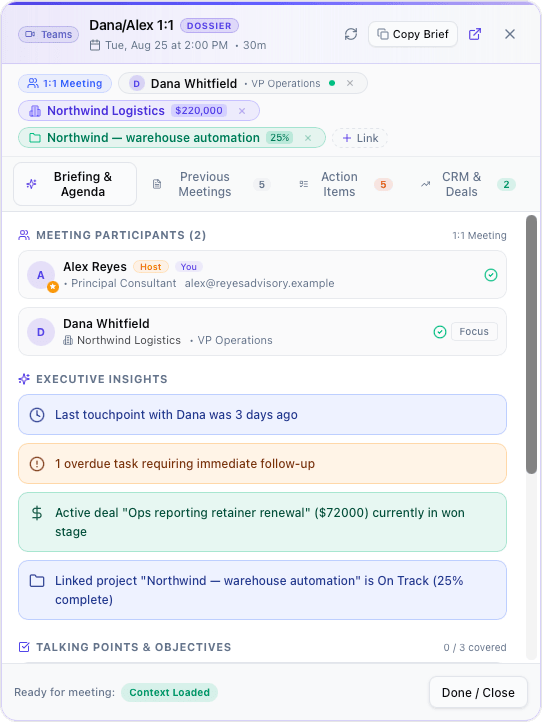
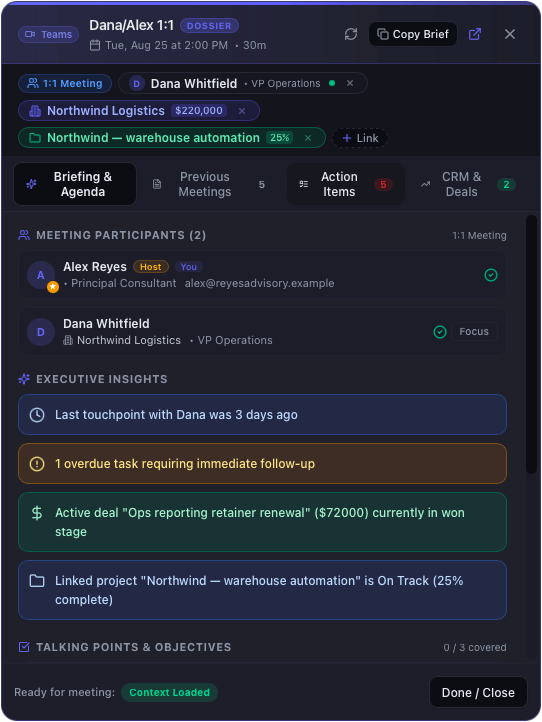
Open a calendar event and a floating panel assembles the briefing you'd otherwise put together by hand: who's on the invite and what company they're from, the deals open against that account, what you decided the last few times you spoke, and what either side still owes the other — ranked, and tickable while you talk.
It runs against the database on your own Mac. There's no CRM to connect, no service to sign into, and nothing leaves the machine.
14-day trial · No credit card · macOS 14+
What it puts in front of you.
Everyone on the invite
Attendees come from the calendar event itself, matched against your contacts by email. Known people show their company and role; anyone new gets an "Add to CRM" button, so the briefing gets better every time you use it.
The company and what's open with them
From a matched contact it walks out to their company, the deals in flight against it with stage and value, and the projects currently live. A 1:1 with one person becomes the full account picture.
What was decided last time
Decisions recorded in previous meetings with the same people, pulled forward automatically. The thing you agreed three weeks ago is on screen instead of in a transcript you'd have to go find.
What's still outstanding — ranked
Open commitments on both sides, scored on how closely they relate to this meeting and how soon they're due, each tagged with why it surfaced: project, company, assignment, or the meeting title. Tick them off during the call and it writes straight through.
Your own prep, remembered
Talking points and objectives you add are saved against that calendar event, so a recurring meeting keeps its thread. Defaults are configurable if you run the same agenda every week.
Assembled on your Mac
Every query runs against the SQLite database on your own disk. No account, no sync, no request leaving the machine — the briefing works with the network off.
What's actually different about it.
Pre-meeting briefings aren't unique to Life Manager Pro, and it would be dishonest to pretend otherwise. Granola briefs you from your earlier notes. Otter's Sales Agent briefs you from Salesforce or HubSpot on its sales plans. Fireflies surfaces prior meetings and open items on its paid tiers. If you already live in one of those stacks, they work.
The difference is what sits underneath. Those briefings are generated in someone else's cloud, and the good ones need a CRM subscription behind them to know what a deal is worth. Here the CRM, the projects, the task list, and the calendar are one local database — so the briefing is assembled on your Mac, from records you own, with nothing to connect and no second subscription to carry. It also goes the other way: an action item in the dossier is a real task, so you can close it during the call rather than reading a summary of it afterwards.
And it's $49 once, not per seat per month. See the full comparisons if you want the row-by-row version, including the things the alternatives genuinely do better.
Questions.
- How does it know who the meeting is with?
- Primarily from the calendar event's attendee list, matched to your contacts by email address. It also reads the title — a meeting called "Dana/Alex 1:1" resolves to the counterpart rather than to you, and you're excluded from the traversal so your own unrelated tasks don't crowd the briefing. When the automatic match is wrong you can search and link the right contact, company, or project from the dossier header, and the correction sticks for future occurrences.
- Do other meeting tools do this?
- Some do, and it's worth being straight about it. Granola generates pre-meeting briefs from your earlier notes. Otter's Sales Agent briefs you from Salesforce or HubSpot on its sales tiers. Fireflies surfaces past meetings and open action items on its paid plans. The differences here are where the work happens and what it draws on: this reads a CRM that ships inside the app, on your own Mac, with no CRM subscription underneath it and no per-seat fee — and it can complete tasks, not just show them.
- Does it need a CRM subscription?
- No. The contacts, companies, and deal pipeline are part of Life Manager Pro. There's nothing to connect and nothing else to pay for.
- What if I haven't filed much yet?
- Then the briefing is thinner — it can only show you what's in your database. It degrades honestly rather than inventing context: an attendee with no matching contact simply shows as an unmatched guest with a button to add them. The more you use the CRM, the more the dossier has to work with.
- How do I open it?
- Right-click any event in the calendar, open the event and use the briefing action, click the icon on Today's Schedule on the dashboard, use the macOS menu bar, the command palette, or the Cmd+Option+D shortcut. It opens as a floating panel above whatever you're already working in.
Try it for 14 days. Then decide.
Full features, no credit card, no nag screens. If it fits the way you live and work, $49 keeps it forever — through January 31, 2027.